


Few words About Orissa


Calling from Gmail to phones
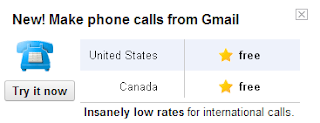
Now you can call landlines phones or mobile phones from Gmail. Google could be ready to turn Gmail into a communications hub by adding the ability to make phone calls from the Google Chat interface. All you need to do is ensure that the application that enables you to call is installed, and dial the number!

How to Call Phones from Gmail
1. Open your Gmail account.
2. Go to "Chat" on the left hand side of your Gmail screen. Look for the tab that says "Call phone". There will be a green phone symbol located next to this line.
3. Click on the "Call phone" tab. A box will appear, telling you about the service.
4. Click "Accept" once you have read the box. This means that you're acknowledging that you understand and agree to Google's terms of use.
5. Look for the call box on the page.
6. Press the blue "Call" button at the base of the dial box and your call will start dialing.
1. Open your Gmail account.
2. Go to "Chat" on the left hand side of your Gmail screen. Look for the tab that says "Call phone". There will be a green phone symbol located next to this line.
3. Click on the "Call phone" tab. A box will appear, telling you about the service.
4. Click "Accept" once you have read the box. This means that you're acknowledging that you understand and agree to Google's terms of use.
5. Look for the call box on the page.
6. Press the blue "Call" button at the base of the dial box and your call will start dialing.
You are getting error message that "Your beta software has expired"
Error : When you try to start a Microsoft Office 2010 application, you receive the following message: "Your beta software has expired. Use Add or Remove Programs in Control Panel to remove the beta software from your computer."
Cause : This issue occurs because the beta version of the Office 2010 application that you are using has expired.
Solution for Windows XP, Vista, Win 7
For Windows 7, Windows Vista (with Service Pack 1) and Windows Server 2008:
1. Click Start, and type Programs and Features on the search bar.
2. In the Currently installed programs list, select Office 2010 beta version application, and then click uninstall.
3. When you are prompted, click Yes to remove the program.
4. Restart the computer if you are prompted.
For Windows XP (with Service Pack 3) and Windows Server 2003 R2:
1. Click Start, and then click Control Panel.
2. Double-click Add or Remove Programs.
3. In the Currently installed programs list, select Office 2010 beta version application, and then click uninstall.
4. When you are prompted, click Yes to remove the program.
5. Restart the computer if you are prompted.
Cause : This issue occurs because the beta version of the Office 2010 application that you are using has expired.
Solution for Windows XP, Vista, Win 7
For Windows 7, Windows Vista (with Service Pack 1) and Windows Server 2008:
1. Click Start, and type Programs and Features on the search bar.
2. In the Currently installed programs list, select Office 2010 beta version application, and then click uninstall.
3. When you are prompted, click Yes to remove the program.
4. Restart the computer if you are prompted.
For Windows XP (with Service Pack 3) and Windows Server 2003 R2:
1. Click Start, and then click Control Panel.
2. Double-click Add or Remove Programs.
3. In the Currently installed programs list, select Office 2010 beta version application, and then click uninstall.
4. When you are prompted, click Yes to remove the program.
5. Restart the computer if you are prompted.
Subscribe to:
Posts (Atom)
